Highlight Recruiting
Getting Recruiting on Rails
I joined Highlight in January 2024 during a pivotal shift. The company was evolving from a research services model toward a dedicated software product. I was brought on to help build the internal systems that would support that growth, starting with recruiting.
Highlight at a glance
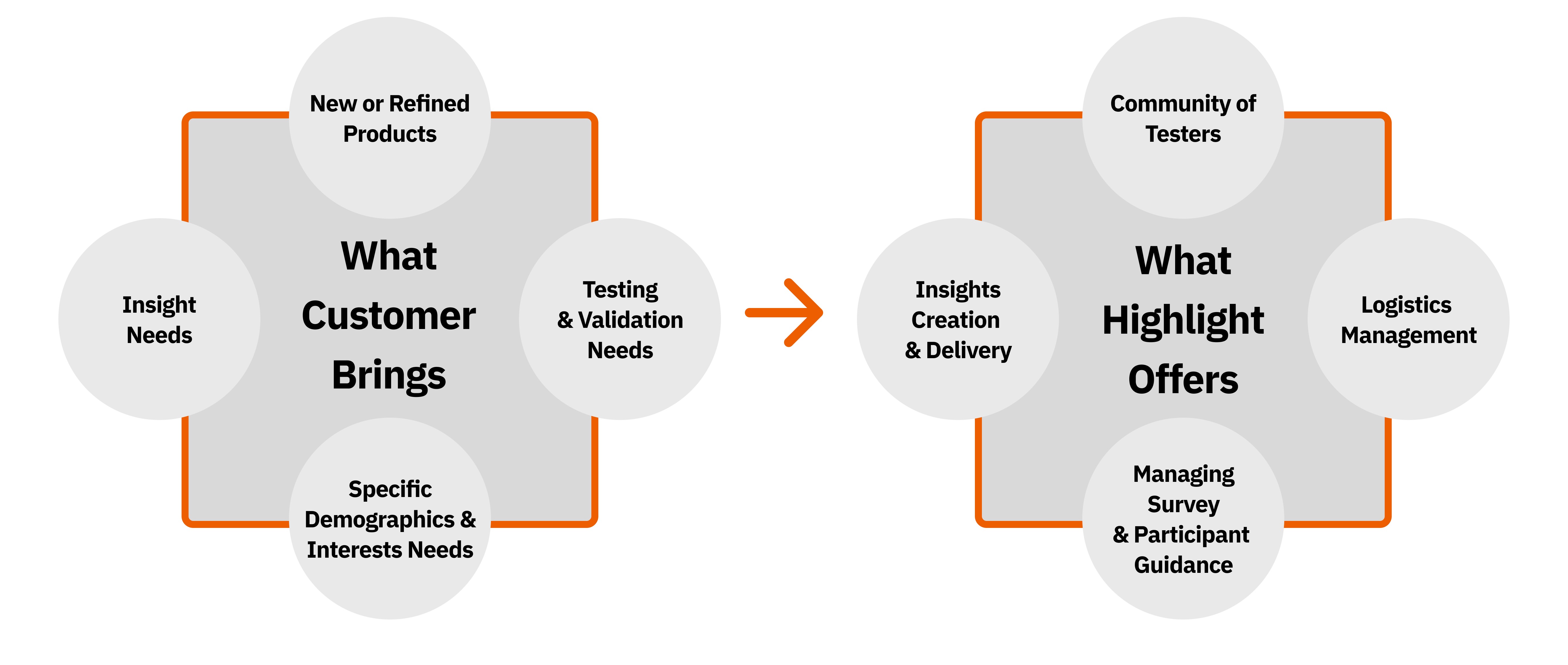
Highlight is a product intelligence platform. Brands bring a product they want feedback on, and Highlight finds everyday people, called Highlighters, to test it at home and report back honestly.
The diagram below shows who brings what. The brand brings the product, the questions it needs answered, and the kind of people it wants to hear from. Highlight brings the community of testers, the logistics of getting product to them, the survey experience, and the insights at the end.
Recruiting is the first link in that chain. It decides who receives a product, so shipping, surveys, and results all depend on getting it right.
The Problem
Highlight was wanting to scale fast, but their core recruiting operations were still running like a small agency: manual, disconnected, and unsustainable.
- Customers were not empowered enough by the app yet. Actual processes in the background involved so much PII that customers were only offered non-functional inputs, essentially a repeat of information gathered during the Sales kickoff process.
- Manual download and spreadsheet management. User data had to be gathered for projects from multiple CSVs, which then became a challenge of juggling IDs and knowing who gets what.
- Criteria selection was frustrating and lacked clarity. Poor labeling, a tedious multi-step process, and unclear options made targeting inefficient.
My Process
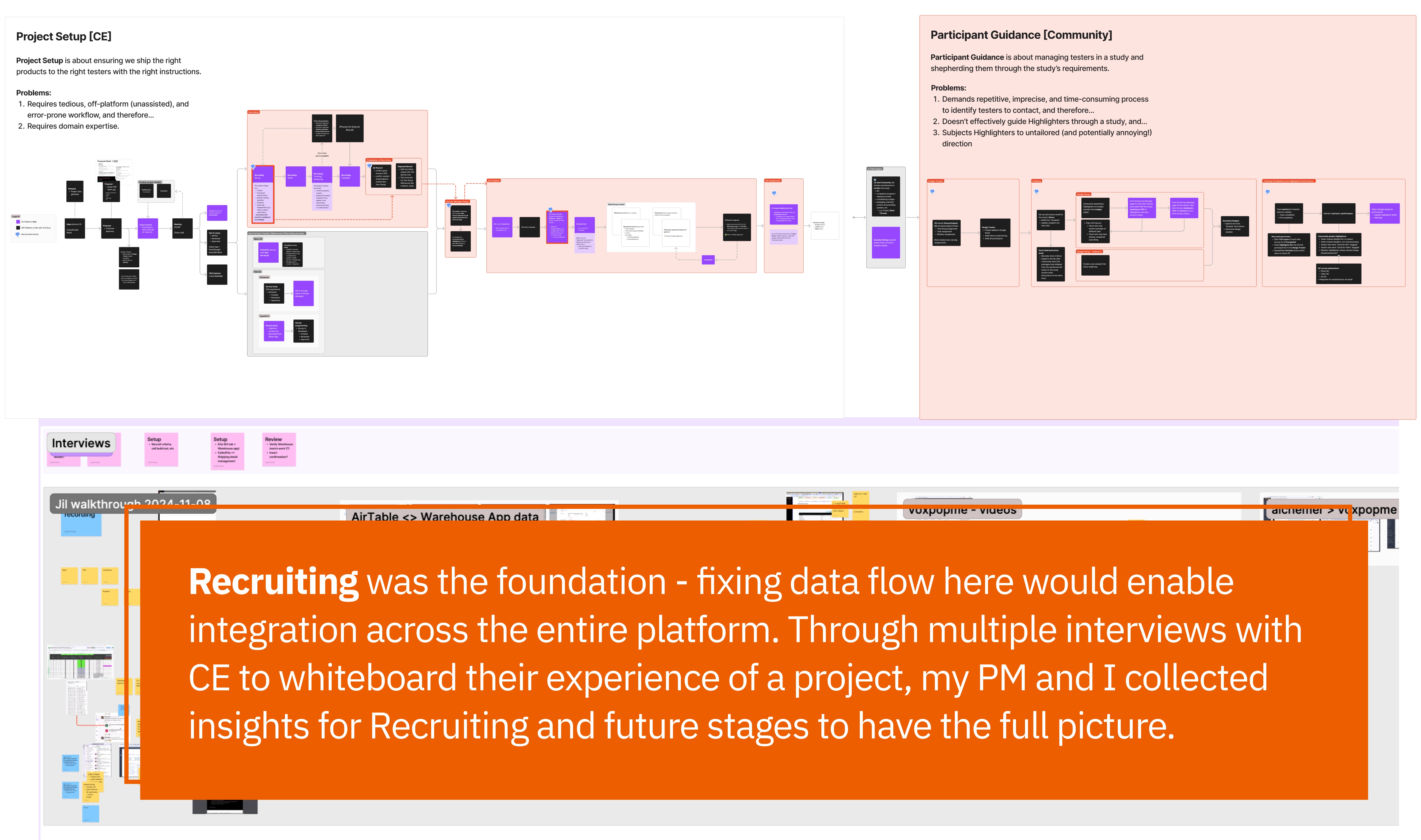
- Mapped internal workflows. Gained understanding of how recruiting happens: CSV up/downloads, email address exports to send recruit emails, monitoring manual “dashboards”
- Gathered stakeholder input. Discussions with C-Level, Product, Customer Success, and Engineering on pain points and constraints, and to gather buy-in and support
- Audited data collection. Analyzed how recruit data was gathered and identified efficiency barriers
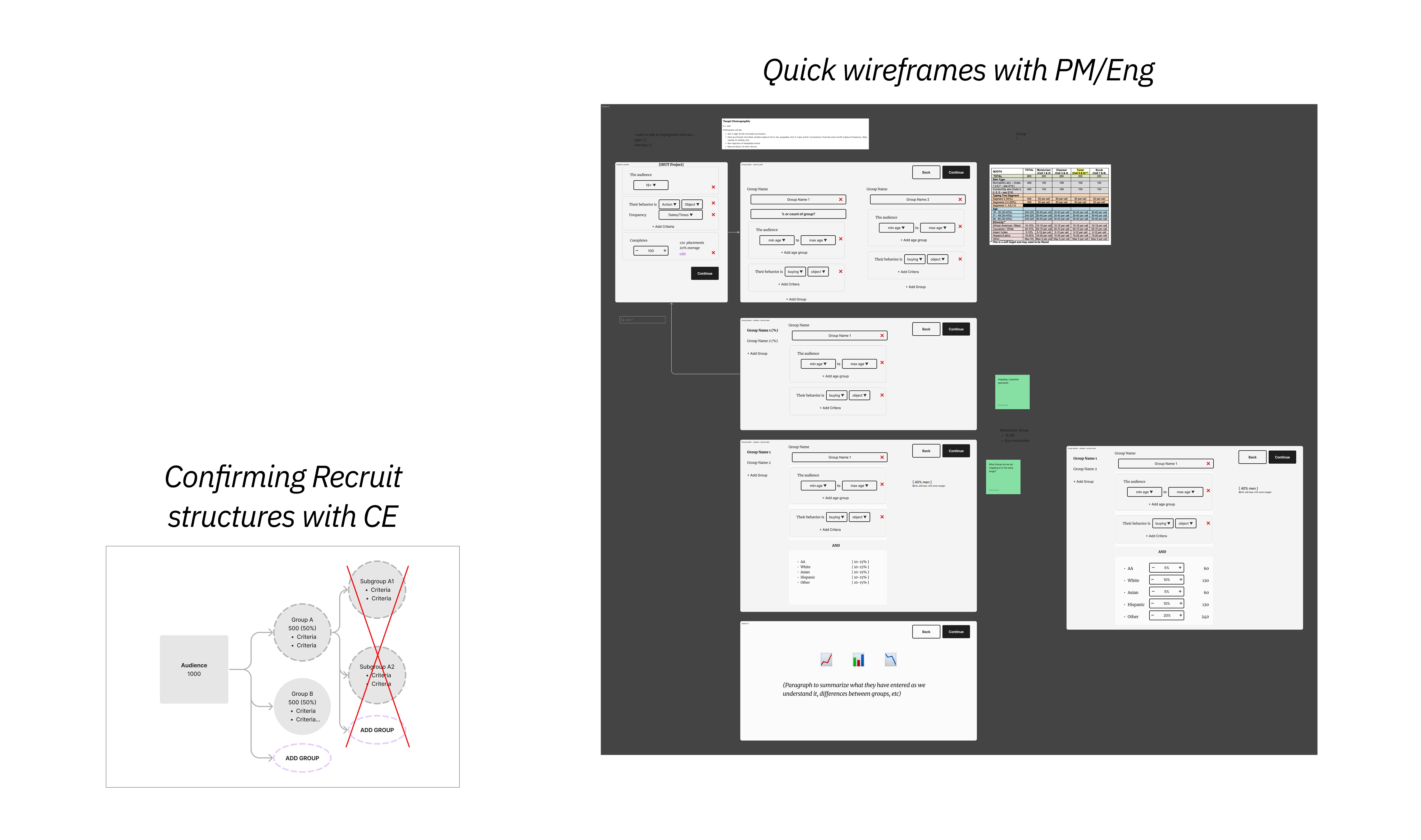
- Diagrams to express concepts and mental models. As words tend to get very muddled, I leverage simple visuals to confirm structures and flows
- Iterative build-out. Long collaborative process to layer in additional functionality and value
Mapping Workflows
Diagramming & Wireframing
Before: Recruiting via Downloads
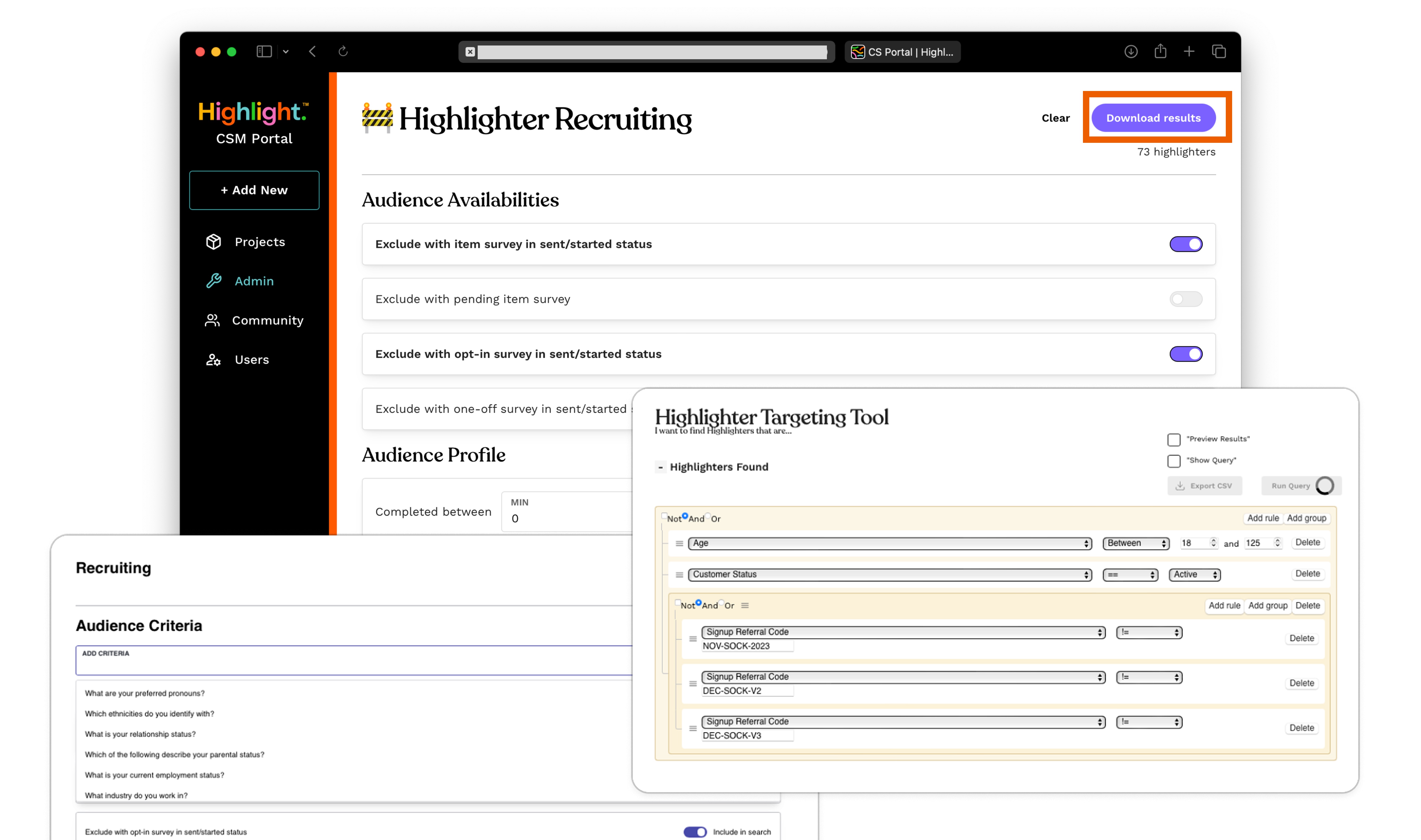
The previous process required internal staff to run a query, download a CSV, manually manage IDs across spreadsheets, export email addresses, and send recruit emails entirely outside the platform. There was no visibility into status, no audit trail, and no scalable path forward.
Early Explorations
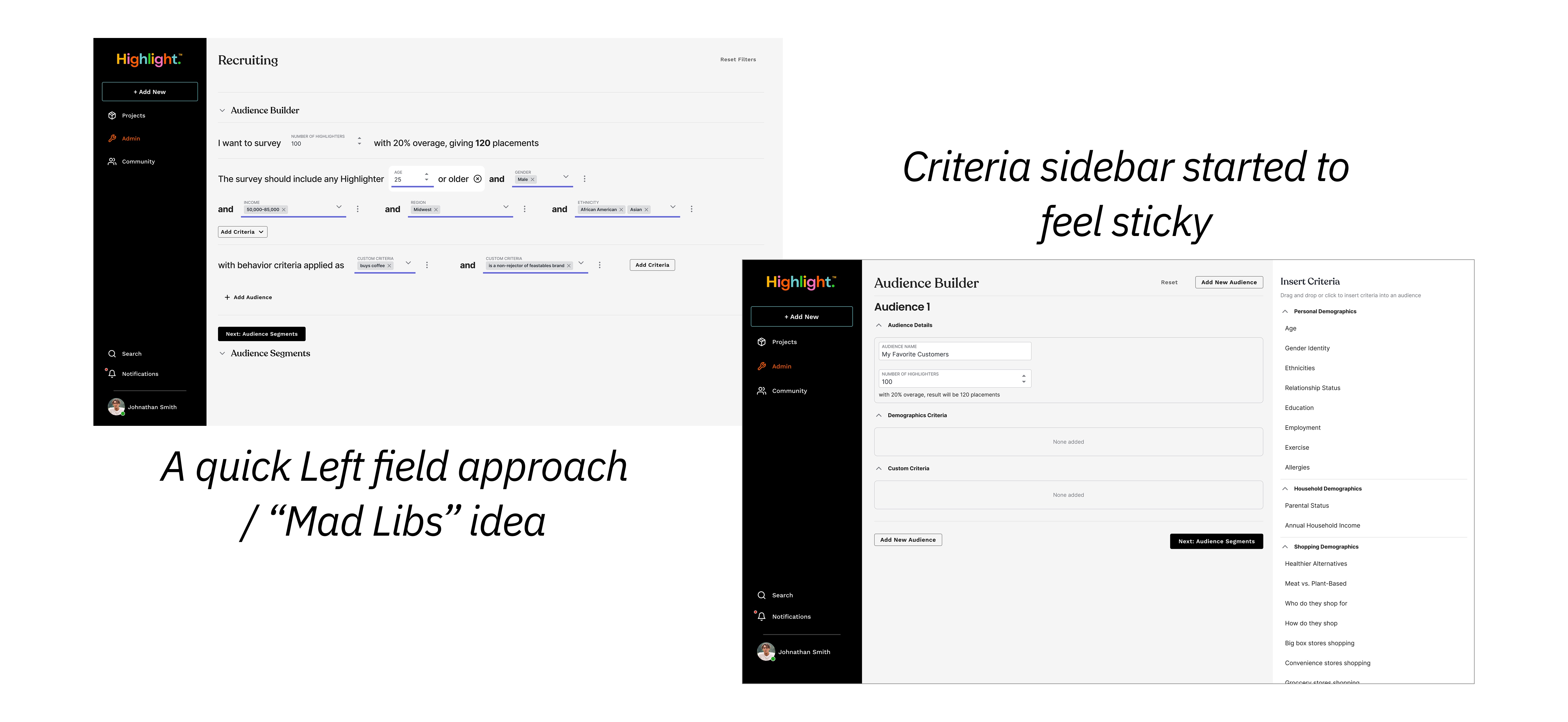
Two early directions: a sentence-style audience builder that made the query logic legible, and a persistent sidebar for inserting criteria. The latter started to feel like the stronger foundation.
Deeper Dive: Criteria & Answer Selection
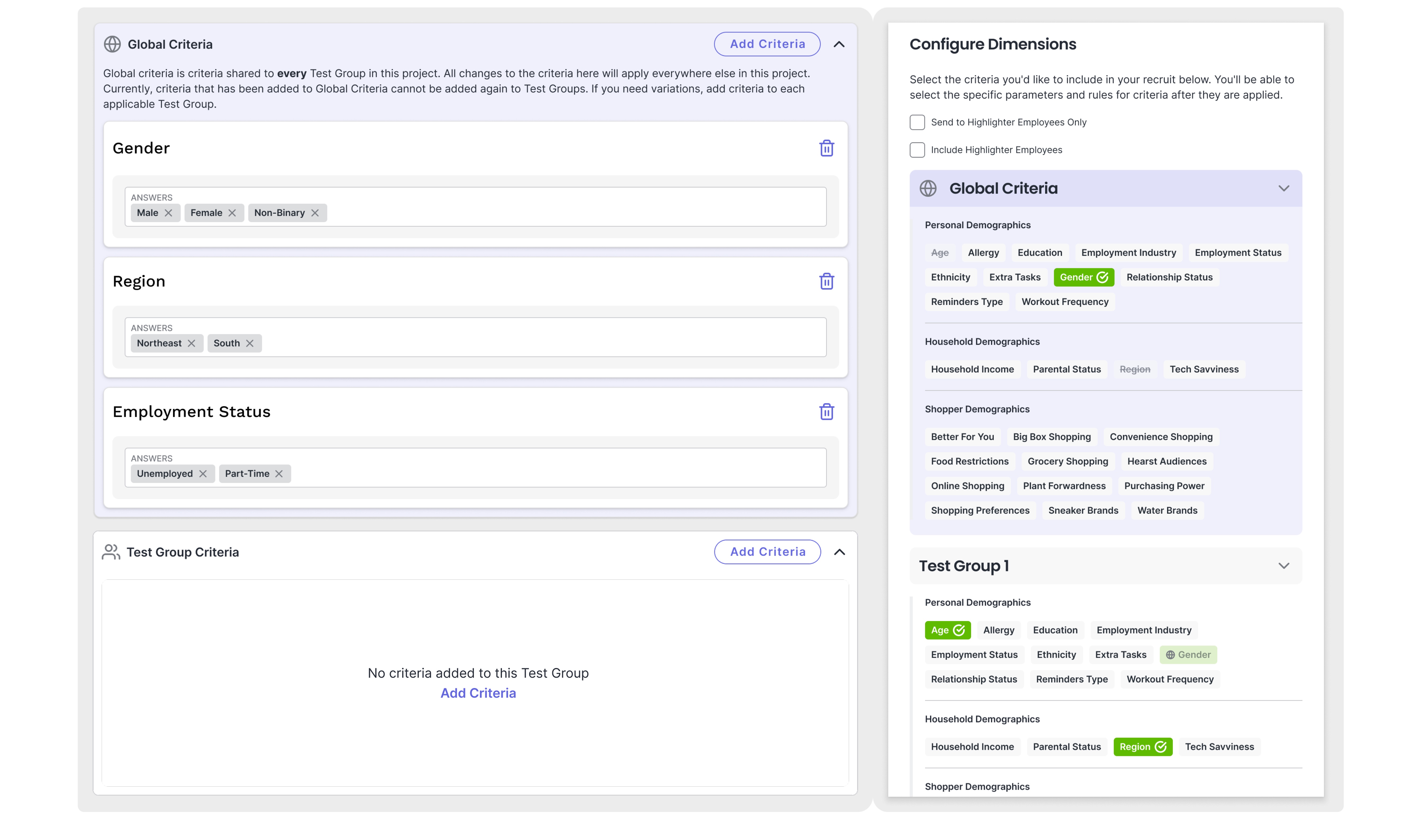
Criteria selection was one of the most painful parts of the old experience. These explorations tested different models: from a card-based Global/Test Group structure with tag-style answers on the left, to a “Configure Dimensions” panel on the right that let users browse and select criteria by category. The sidebar approach won out: it gave users persistent visibility into what they’d configured without burying it in a modal flow.
Developing Further: Layering in Test Groups
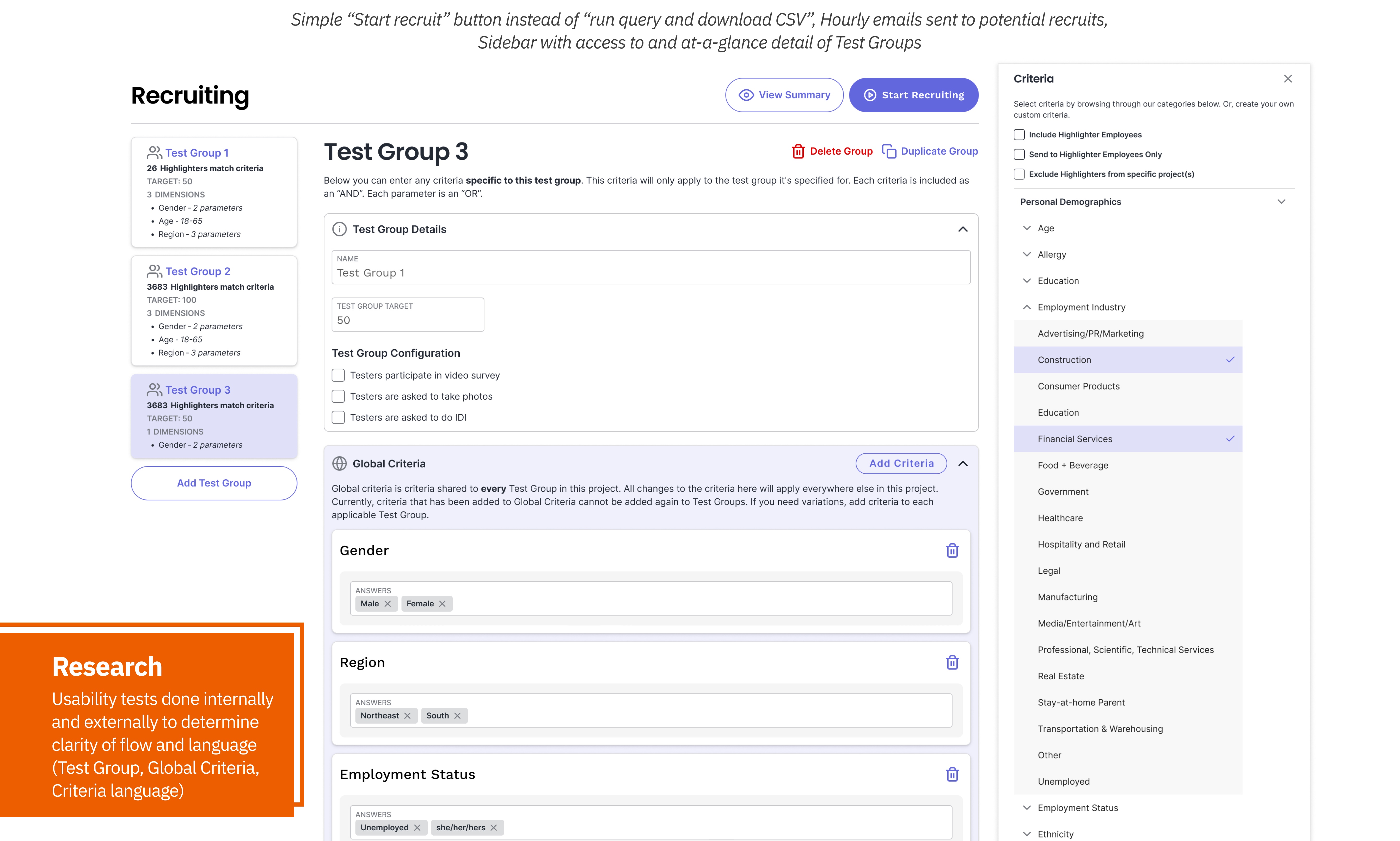
The sidebar evolved into the primary interaction surface, giving users at-a-glance visibility of all Test Groups and their criteria without disrupting the main flow. Language and labeling went through multiple rounds of internal and external usability testing before landing.
Launched Experiences
Customer Version
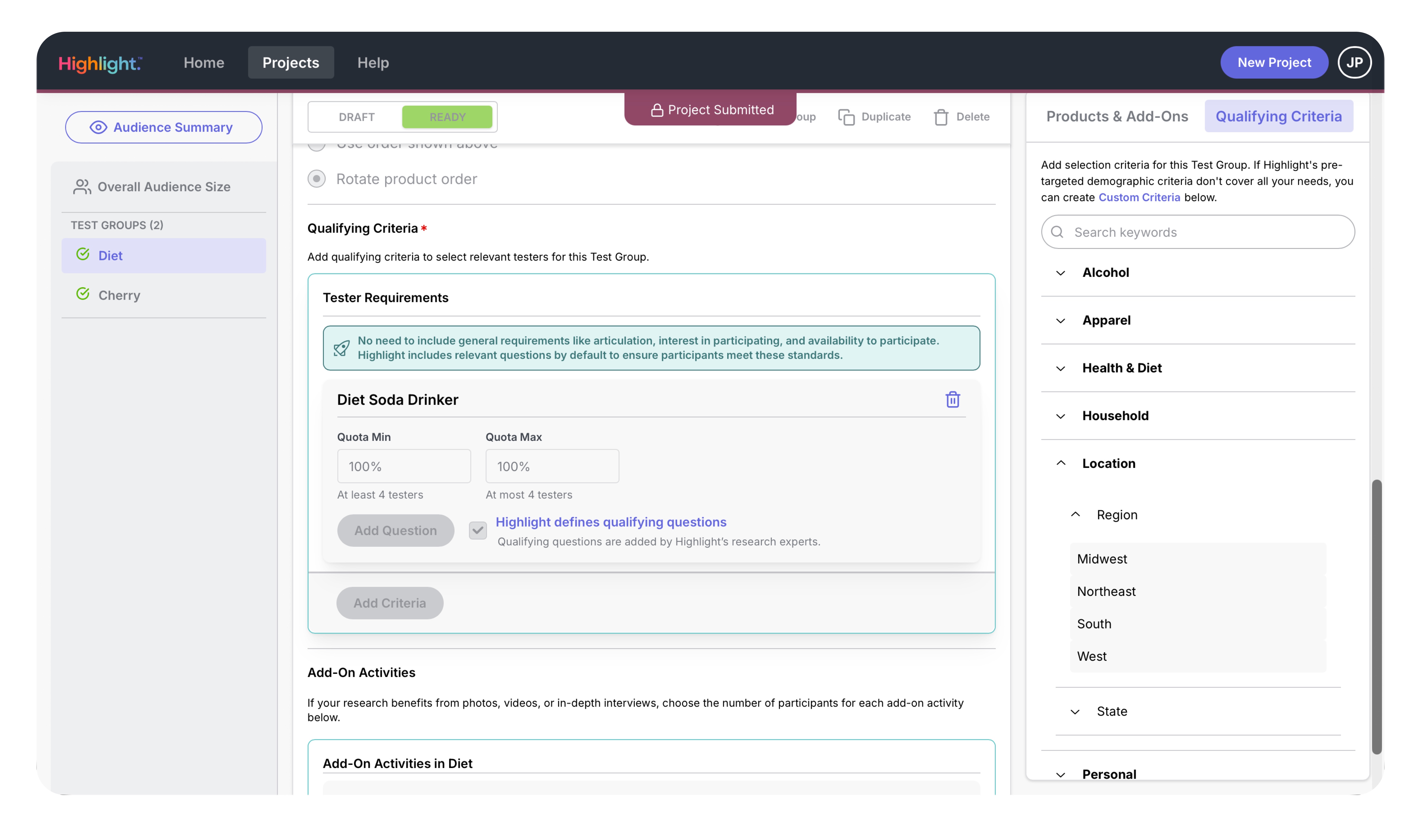
The customer-facing version evolved from the Admin App’s UX patterns, adapted for customers building their own projects. With a clean “Qualifying Criteria” sidebar and Test Group management, customers could now actively configure their own recruiting instead of relying on internal handoffs.
Admin Version
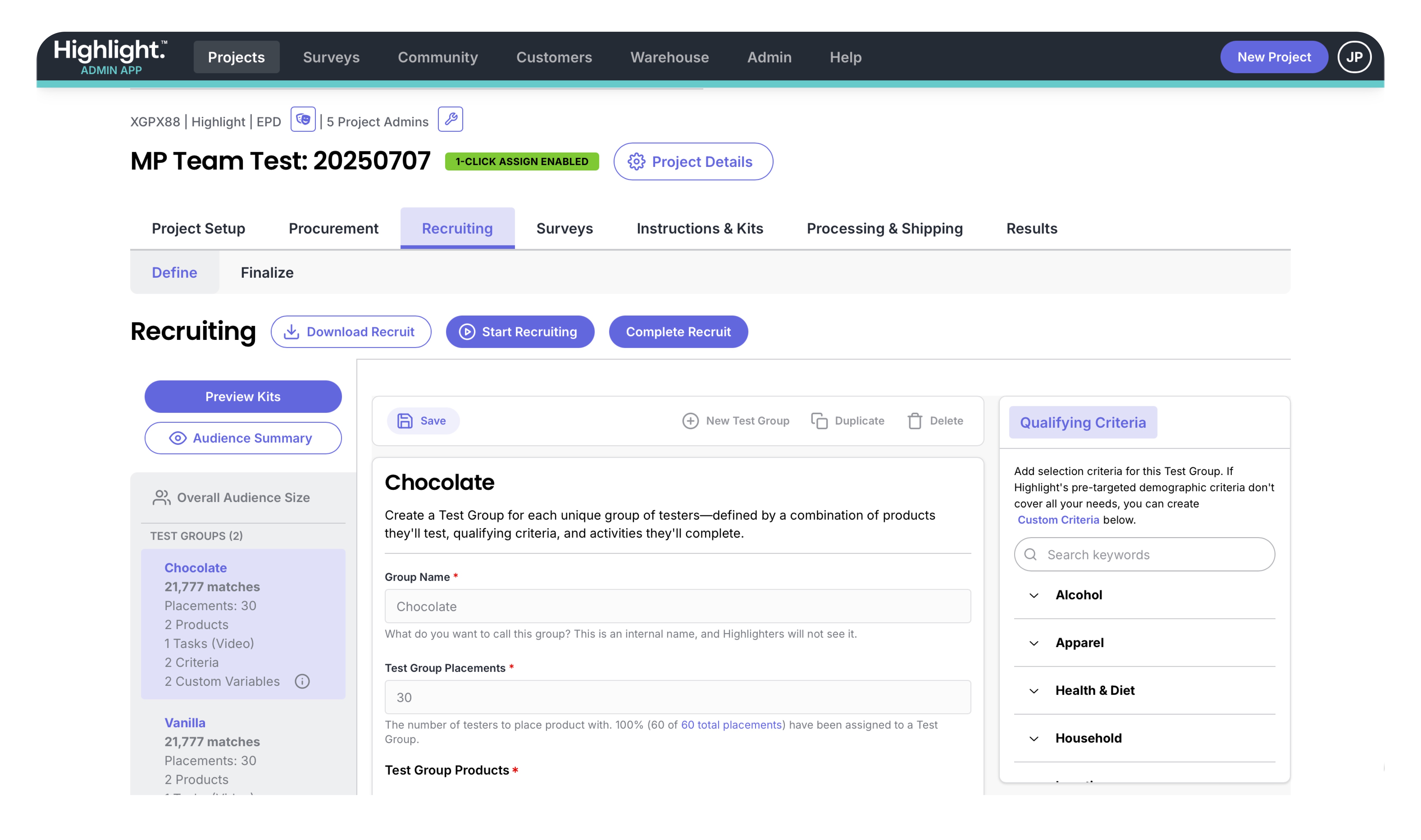
The admin app gives the internal team full control: Define and Finalize tabs, Test Group management with match counts, “Start Recruiting” / “Complete Recruit” actions, and the same criteria sidebar architecture refined through months of iteration.
Where We Landed and Next Steps
Strong team adoption. Quick uptake due to clear value, though edge cases in project requirements continue to drive iterations and process refinement.
Customer engagement increased. With a functional app, alongside a huge update across all features, customers are able to actively build their own projects instead of relying on manual handoffs.*
Downstream improvements unlocked. QC tools, progress tracking, reduced human error, and streamlined CSV workflows.
Next phase. Automated project and survey completion tracking.
* this is a work in progress but we’re closing in as these tools rely less on internal setup